Career Typing
What to Expect on a Data Entry Typing Test
Learn what happens on a data entry typing test, how scoring works for alphanumeric copy, and how to practice accuracy for your next job assessment.
By ProTypingGames ·
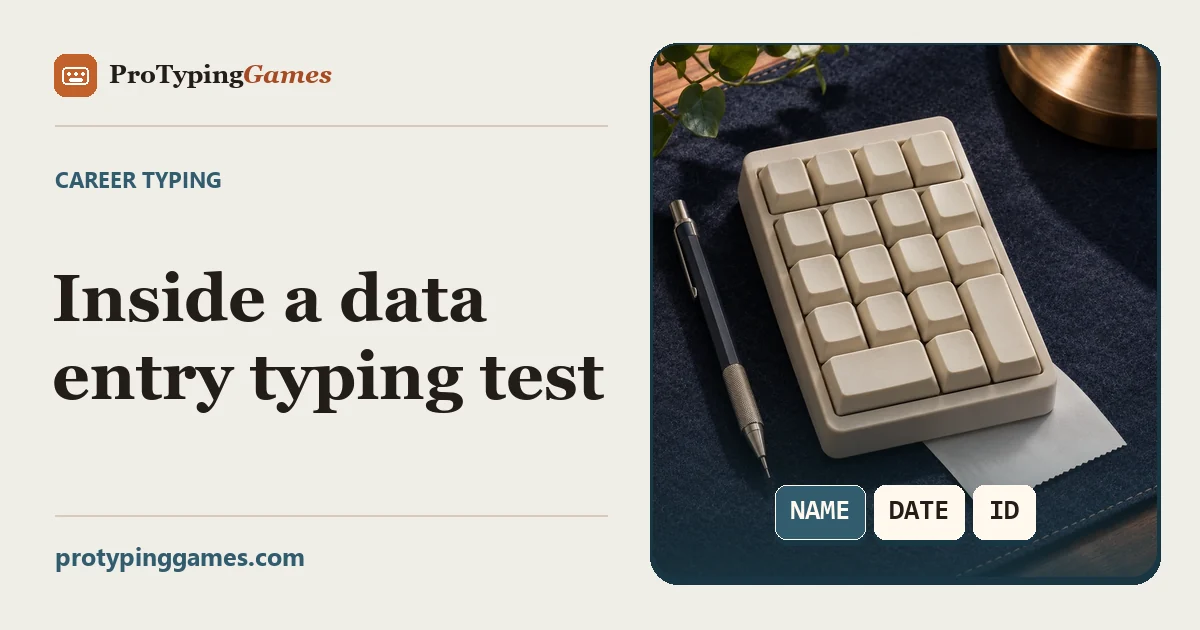
A data entry typing test evaluates how quickly and accurately you can transcribe mixed information like names, dates, identification numbers, and monetary values into a system. Depending on the employer or assessment format, you may be measured on raw speed, keystroke precision, or net words per minute across combined alphanumeric copy.
Understanding what happens during an evaluation helps you prepare effectively, maintain steady pacing, and avoid costly mistakes. While actual hiring assessments often use form fields or custom application portals, general keyboarding platforms provide structured online tools to build muscle memory. On ProTypingGames, for instance, you can practice with the Data Entry Typing Test, which provides a three-minute copy format to help you practice transcribing continuous mixed lines of text and numbers.
Understanding data entry typing tests
Unlike plain text typing tests that rely primarily on standard conversational prose, data entry tests introduce structured elements like numeric codes, capitalization shifts, symbols, and email formats. Employers rely on these metrics because real administrative and back-office work rarely consists of simple paragraphs. A typical workflow involves reading customer records, transaction logs, inventory codes, or billing statements, then inputting those exact values into a database without introducing typos.
When taking a data entry test, your primary focus must remain on precision rather than pure speed. In plain prose, a missing letter might still leave a sentence readable. In a data environment, transposing two digits in an account number or mistyping a single character in a customer email address can corrupt records, delay invoices, or break automated database workflows. For this reason, scoring algorithms heavily penalize uncorrected errors or frequent keypress corrections.
Different evaluation platforms measure speed using distinct units. Some employer software reports performance in Key Characters per Hour (KPH) or Keystrokes per Hour (KPH), whereas web practice environments generally report results in words per minute (WPM) or correct characters per minute (CPM). Standard word-per-minute calculations convert total characters into standardized word units by dividing total character counts by five.
How scoring math actually works on a test
To prepare effectively, you should understand how testing systems process your keystrokes into raw WPM, net WPM, and accuracy percentages.
On ProTypingGames, timed tests begin immediately upon the first accepted typing input after you launch the test. Every character key press counts as a scored attempt. If you hit an incorrect key, that strike is counted as an unsuccessful attempt. If you press backspace and correct the mistake, the final retained text will reflect the accurate character, but the initial bad keystroke remains logged in your overall attempt tally. Corrected-but-deleted entries are not retained in your final raw character total.
The underlying metrics use the following exact formulas:
- Raw WPM equals your total retained typed character units divided by 5, divided by the test duration in minutes.
- Net WPM equals your correctly matched character units divided by 5, divided by the test duration in minutes.
- Accuracy percentage equals your successful attempts divided by all scored attempts, multiplied by 100 and rounded to the nearest whole number.
- Correct Characters per Minute (CPM) equals total correctly matched character units divided by the test duration in minutes.
Net WPM is never calculated by simply multiplying raw WPM by your attempt accuracy percentage. Instead, net speed strictly measures the total volume of correctly matched characters left on screen at the end of the test duration.
Worked example: calculating raw and net performance
To see these formulas in practice, consider a candidate completing a three-minute data entry copy session.
Suppose the applicant presses character keys a total of 900 times during the three-minute period. Out of those 900 key presses, 855 were successful actions (either typed correctly on the first hit or resulting in correct placement after a quick fix), while 45 were original mistyped keystrokes.
At the conclusion of the three minutes, the user leaves 825 retained typed character units on the screen. Out of those 825 retained characters, exactly 780 characters match the prompt text perfectly, while 45 characters remain uncorrected errors.
Here is the exact step-by-step breakdown of the resulting test scores:
- Attempt accuracy calculation: 855 successful attempts divided by 900 total scored attempts equals 0.95, or 95% accuracy.
- Raw WPM calculation: 825 retained typed character units divided by 5 equals 165 standard word units. Dividing 165 word units by 3 minutes yields 55.0 Raw WPM.
- Net WPM calculation: 780 correctly matched character units divided by 5 equals 156 correct word units. Dividing 156 correct word units by 3 minutes yields 52.0 Net WPM.
- Correct CPM calculation: 780 correctly matched character units divided by 3 minutes yields 260 Correct CPM.
This worked example shows why correcting errors as you go is critical. Uncorrected errors reduce your net WPM and lower your accuracy percentage, while excessive backspacing reduces your overall retained character count within the fixed time window.
Numeric versus alphanumeric test formats
Data entry testing generally falls into two core categories: alphanumeric data entry and purely numeric data entry.
Alphanumeric testing combines standard letters, punctuation, symbols, and digits. You must switch fluidly between the primary letter keys, the top number row, and shift modifier keys for symbols like the at sign (@), hyphens, or currency symbols. Building smooth rhythm across these key zones prevents awkward pauses when switching between letters and numbers.
Purely numeric testing, often referred to as 10-key typing, focuses strictly on numerical entry using a dedicated numeric keypad or the top number row. On ProTypingGames, you can practice numeric focus using the 10-Key Typing Test, a 60-second assessment that mixes digits with arithmetic symbols. It is distinct from the standard Numbers test, which presents numeric sequences without mathematical symbols. If you are preparing for accounts payable, inventory management, or payroll positions, spending dedicated time on a physical 10-key pad using proper touch-typing technique is essential.
Practical mini-exercise: real-world data copy
To prepare for real employer style data copy, work through the following dataset manually. Open a simple text editor alongside this page. Set a timer for two minutes and transcribe the six structured records below exactly as shown. Pay close attention to capital letters, special characters, hyphenation, date formatting, and domain extensions.
Record 01: ID: EMP-8042-X Name: Sarah Lin-Vance DOB: 1988-11-23 Amount: $1,450.75 Email: s.linvance@example.com
Record 02: ID: EMP-3195-Y Name: Marcus A. Thorne DOB: 1994-03-05 Amount: $8,920.00 Email: m.thorne94@example.com
Record 03: ID: EMP-6721-Z Name: Elena Rostova DOB: 1990-07-19 Amount: $310.50 Email: elena.rostova@example.com
Record 04: ID: EMP-1408-A Name: David O’Connor Jr. DOB: 1985-12-01 Amount: $12,640.25 Email: doconnor@example.com
Record 05: ID: EMP-9532-B Name: Priya Patel-Shah DOB: 1999-04-14 Amount: $725.80 Email: priya.ps@example.com
Record 06: ID: EMP-4810-C Name: Arthur Pendelton III DOB: 1992-08-30 Amount: $5,000.00 Email: arthur.p3@example.com
After your timer stops, compare your transcribed text character by character against the source lines. Check whether you missed hyphens, miscapitalized suffixes like “Jr.” or “III”, or omitted decimal points in financial fields. Reviewing your common mistake patterns is one of the fastest ways to improve accuracy, as outlined in our Data Entry Error Prevention Guide.
What employers look for during job candidate screening
When prospective employers evaluate candidates using pre-employment testing, they look for a balance of speed and consistency. Pre-employment testing platforms evaluate speed and error rates to predict job readiness across various administrative roles, as detailed in the Criteria Corp Sample Summary.
Employers set specific benchmark thresholds based on job duties:
- Basic administrative copy roles often seek alphanumeric speeds between 40 and 50 Net WPM with minimum accuracy thresholds around 95% to 98%.
- Specialized accounting or billing roles prioritizing 10-key entry frequently require 8,000 to 10,000 keystrokes per hour with minimal uncorrected errors.
- Medical coding and legal transcription roles demand high precision, where accurate capitalization and exact symbol entry are mandatory.
During an official employment test, you will typically receive clear instructions regarding time limits, allowed reference materials, and backspace usage. In fixed-screen copy tests, backspace functions across spaces within your active screen, but cannot return you to previously completed pages or screens. Understanding these boundaries ensures you do not waste time attempting to edit text that has already scrolled past your active screen view.
Practicing effective accuracy habits before test day
Building consistent speed on data entry assessments requires structured daily practice rather than last-minute cramming. Focus on these practical guidelines during your preparation sessions:
- Maintain steady cadence: Avoid rushing through easy letter sequences only to hit a wall when encountering dates or identification numbers. Keep a steady, rhythmic cadence across all character types.
- Keep your eyes on the source text: Looking down at your keyboard every time a number or symbol appears drastically slows your typing speed and increases transposition errors.
- Position your wrists properly: Sit straight with your feet flat on the floor, elbows at a 90-degree angle, and wrists hovering comfortably above the desk or wrist rest.
- Practice numeric touch typing: Learn the home row on the 10-key pad (4, 5, 6 keys with the tactile bump on the 5 key) so you can enter figures without looking down.
- Review your mistakes immediately after each practice test: Identify whether your errors stem from capitalization shifts, number row reaching, or misplaced punctuation.
By focusing on clean keypress execution and understanding how scoring algorithms tally your attempts, you can approach any workplace typing assessment with confidence. Open our three-minute data entry module right now, set a baseline score for your speed and accuracy, and target steady daily improvements before your next job assessment.
Put it into practice
The fastest way to improve is to play. Jump into a free typing game and try it now.
Play free typing games