Typing Games
Relaxing Typing Games for Low-Pressure Practice
Discover relaxing typing games and low-pressure drills on ProTypingGames to build steady muscle memory without timers, stress, or losing lives.
By ProTypingGames ·
Relaxing typing games let you develop muscle memory at your own pace without ticking countdown clocks, sudden fail screens, or lost lives. If you want a calm session, you can load untimed modes to focus purely on accuracy or run gentle drills where you decide when to stop.
Many traditional typing activities rely on artificial pressure. Red error flashes, descending timers, and shrinking health bars can cause you to tense your hands, hit extra keys, and rush through sentences. Shifting to an open-ended format removes that tension. You can sit comfortably, keep your hands light on the keys, and practice clean keystrokes without worrying about a game over screen.
Untimed modes versus slower timed games
When you want a low-pressure session, it helps to understand the difference between a game running on a slower timer and an activity with no timer at all.
Slower settings still force your eyes to track a moving object or a clock. For example, arcade games like Word Rain drop words from the top of the screen toward the bottom. Slowing down the drop speed gives you more time to react, but the physical boundary remains. If you pause to look at your hand position, the word eventually hits the floor. Similarly, timed tests with fixed limits like the 60-second Numbers test or the three-minute Data Entry test inevitably push you to beat the clock.
Actual untimed practice removes that external pace completely. In an untimed mode, the prompt waits for your fingers, not the other way around. You can stop mid-sentence to adjust your posture, stretch your wrists, or think about which finger should hit the next key. The system simply records your input when you are ready to type it.
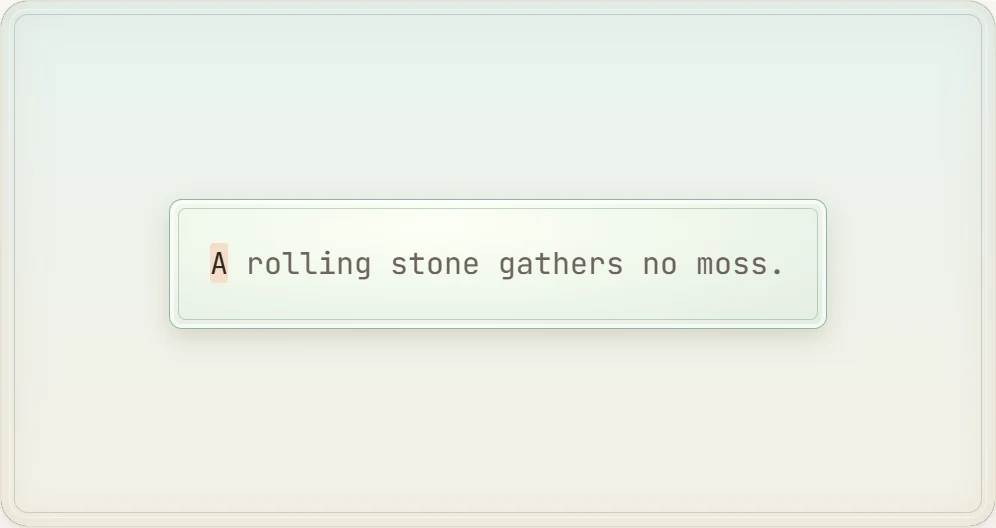
For this kind of experience, Zen Type offers an environment built without a countdown timer or a pool of lives. It gives you a continuous stream of text that advances only when you strike the keys. You cannot fail out of the session, and no animation punishes you for pausing.
How scores work in calm practice
Even when you play without a countdown, tracking your metrics can help you spot physical typing patterns. ProTypingGames records your performance using standard typing formulas so you can review your session once you finish.
Timed tests measure the time elapsed from your first accepted keystroke. In contrast, fixed-length drills like the 100-word typing test run a stopwatch that counts up from zero instead of counting down to a deadline. The clock simply measures how long it takes you to complete that specific set of one hundred words.
When the system calculates your summary, it uses these specific rules:
- Raw WPM divides all retained typed character units by 5, then divides by total minutes.
- Net WPM divides only correctly matched character units by 5, then divides by total minutes.
- Accuracy percentage is calculated by dividing your successful attempts by all scored attempts, multiplied by 100 and rounded.
- Correct characters per minute shows your total accepted volume across the session.
Fixing a typo with the Backspace key does not erase the initial mistake from your attempt count. If you mistype a letter and immediately correct it, that mistake still counts as a missed attempt in your final accuracy calculation. However, the corrected-but-deleted letter is not included in your retained raw character total. Backspace works across spaces within your active screen, but it cannot navigate back to a previously completed page of text.
Example scoring scenario
To see how these formulas work without guessing, consider a concrete, labeled example of a two-minute quiet typing session:
- Session duration: exactly 2.0 minutes (120 seconds).
- Total scored attempts: 400 keypresses.
- Successful attempts: 380 keypresses.
- Retained typed characters at the end of the run: 390 characters.
- Correctly matched characters at the end of the run: 375 characters.
From these numbers, the system computes:
- Accuracy: (380 / 400) * 100 = 95 percent.
- Raw WPM: (390 characters / 5) / 2.0 minutes = 78 / 2.0 = 39 Raw WPM.
- Net WPM: (375 characters / 5) / 2.0 minutes = 75 / 2.0 = 37.5 Net WPM.
Notice that Net WPM is not calculated by multiplying your Raw WPM by your accuracy percentage. The system isolates the actual correct character units to ensure the math reflects true keystroke output.
Three quiet practice loops to try
You can set up a low-pressure routine by combining different untimed games and fixed-count formats. Here are three distinct practice loops that avoid stressful countdowns.
Loop 1: The isolated letter warmup
If your hands feel cold or you find yourself hunting for keys, start with simple single-letter prompts rather than complex paragraphs.
- Open Balloon Pop or Key Jump. Both games present single letters rather than full sentences, letting you focus on individual finger reaches.
- Type each letter cleanly without rushing to the next one.
- Move on to Alphabet Dash to type the entire alphabet in sequence. This helps reset your sense of where letters sit relative to the home row.
- Finish this warmup once you complete the alphabet sequence two times cleanly.
Loop 2: The steady rhythm drill
Once your fingers are comfortable with individual letter positions, transition to continuous text using an open-ended format.
- Load an untimed session of Zen Type.
- Select your preferred text layout. If you need to practice a specific language, you can adjust the practice-language picker independently of your site interface. Keep in mind that your operating system input language must still match your intended keyboard layout.
- Type at an even, deliberate pace. Do not try to type as fast as possible. Instead, try to keep the interval between every keystroke identical.
- Stop typing whenever you want a break. Because there are no lives to lose, you can step away without losing your place on the active screen.
Loop 3: The fixed-target cool down
Instead of racing against a clock, end your session with a fixed word count. This gives you a clear finish line without a timer forcing your speed.
- Open the 100-word typing test.
- Let the timer count up naturally in the background. Ignore the clock and focus on keeping your hands relaxed and your wrists level.
- Use the Backspace key if you notice an error on your active screen, remembering that taking the extra second to fix a letter helps keep your correctly matched characters high.
- Review your final Net WPM and accuracy metrics once you reach the hundredth word.
If you enjoy casual practice formats that do not rely on high-intensity arcade graphics, you can explore more options in our guide to typing games for adults.
Physical habits for low-pressure typing
Low-pressure practice is as much about your physical posture as it is about the software you use. When you play games without timers, you have the freedom to monitor how your body feels while you type.
Hand and wrist positioning
Keep your wrists straight and hovering slightly above the desk or keyboard deck rather than resting them hard against a sharp surface. Resting your wrists while typing can bend your hands backward, which places unnecessary strain on your tendons. Your fingers should curve naturally over the home row keys, ready to reach upward and downward in smooth arcs.
Keystroke force
Many people strike keys harder when they feel rushed. During untimed practice, pay attention to the force of your keystrokes. Modern keyboards register inputs with very little travel and pressure. Tap the keys lightly and release them immediately. A lighter touch reduces finger fatigue and allows you to practice longer without feeling tired.
Breathing and pacing
Because untimed sessions have no sudden fail conditions, use any pause in the text to reset your shoulders and breathe evenly. If you notice yourself making multiple typos in a single word, take your hands off the keyboard for five seconds. Place your fingers back on the home row guides and resume typing at a comfortable, steady cadence.
Setting up your next session
To begin a relaxing practice routine today, open an untimed run in Zen Type, place your fingers on the home row markers, and type through your first fifty words at a smooth, unhurried pace.
Put it into practice
The fastest way to improve is to play. Jump into a free typing game and try it now.
Play free typing games