Typing Tests
Which Typing Test Should You Take? 1, 3, 5, or 10 Minutes
Find out whether a 1, 3, 5, or 10-minute typing test fits your goals. Compare durations, understand pacing differences, and choose the right assessment.
By ProTypingGames ·
Take a one-minute typing test for a quick baseline, a three-minute test to see whether you can settle into a rhythm, or a five- or ten-minute test to check how well that rhythm holds. If you have an exam or job assessment coming up, choose the duration and text format in its instructions. The best length is the one that answers the question you have about your typing.
Why Test Duration Changes Your Score
A different clock changes what you can observe. With a short test, one hesitation at the start can take up a noticeable share of the run. With a longer test, you have more time to recover from the same hesitation, but you may notice that errors cluster once you stop paying close attention to each word.
Imagine two runs with the same easy opening. At one minute, you might finish before you get to any awkward word combinations. At ten minutes, you’ll see more words and have time to notice which ones interrupt your pace. This is a reason to log several comparable runs before drawing a conclusion.
Mathematical sensitivity also changes with test length. On ProTypingGames, net words per minute (WPM) reflects correctly matched character units divided by five and then divided by the total test minutes. In a short test, an early error penalizes your final calculated rate heavily because you have very few subsequent words to dilute the lost time. Conversely, on a longer test, a single mistyped word has a smaller proportional effect on your overall average, but the cumulative fatigue of making and correcting repeated errors steadily degrades your net output.
| Duration | Good for | What to record |
|---|---|---|
| 1 minute | A quick baseline you can repeat | Median net WPM from three runs |
| 3 minutes | Checking whether your start and finish feel similar | Accuracy and where your rhythm changed |
| 5 minutes | Rehearsing a longer copy task | Net WPM and common errors |
| 10 minutes | Observing pacing over a longer session | Final scores and when you first slowed down |
Choosing the Right Test with a Decision Framework
Selecting your test length becomes simple when you categorize your immediate goal into one of three areas: warm-up routine, personal skill benchmark, or formal certification.
If you have five minutes before work, take a one-minute test and jot down one thing to practice. For example, if you noticed that the first three words felt slow because you were still finding the home keys, repeat after settling your hands. Compare your starts before trying a longer run.
For a job or school assessment, copy the duration and the prompt format as closely as you can. A five-minute word test can help with the clock, while a passage helps with capitalization and punctuation. If the official test uses paragraphs, give both skills time in practice.
Review this sequence to pinpoint the exact test for your current objective:
- Do you have an explicit test duration specified by an employer, school, or testing agency? If yes, use that exact duration regardless of personal preference.
- Do you want to warm up your fingers or quickly check key layout responsiveness? If yes, take the one-minute test.
- Are you evaluating your everyday work speed to monitor ongoing self-improvement? If yes, take the three-minute test.
- Are you preparing for a corporate staffing assessment, administrative evaluation, or customer service role without an explicit time limit? If yes, practice with the five-minute test.
- Are you pursuing medical transcription, court reporting, legal documentation, or a state civil service role? If yes, use the ten-minute test.
Comparing Results Across Different Tests
Suppose you record 75 WPM in one minute and 63 WPM in ten minutes. Those scores answer different questions about the same person on the same day. Ask whether accuracy held as the session continued, and repeat each length before treating that difference as your usual gap.
To establish a clear comparison, evaluate tests only against identical test parameters. Keep these measurement factors consistent across your logs:
Scoring Metrics and Math
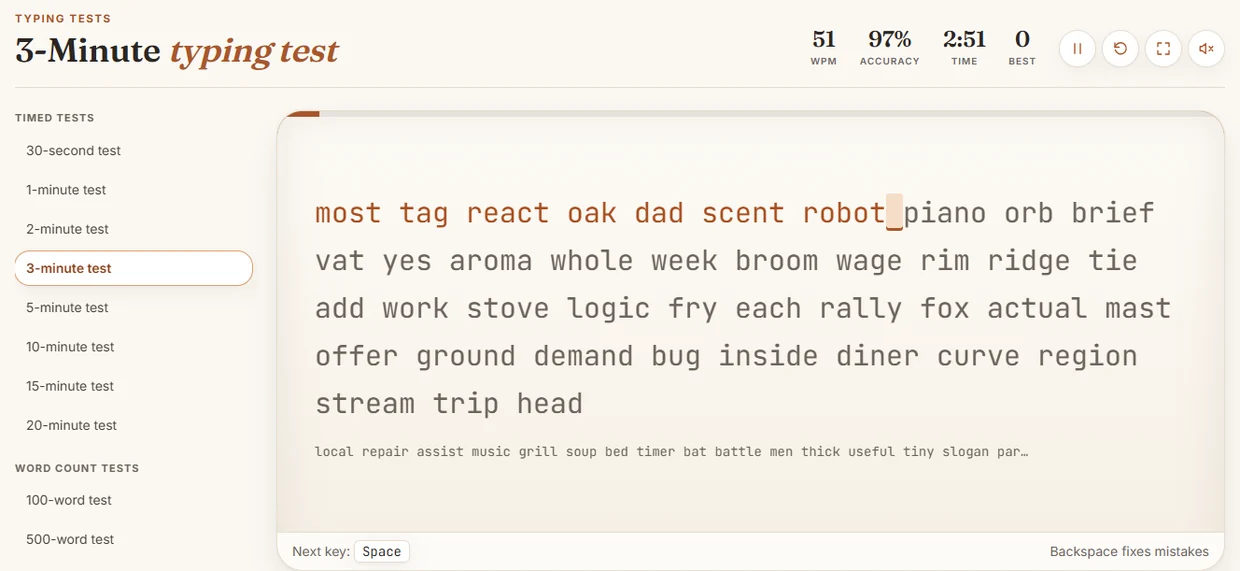
On ProTypingGames, timed tests start on the first accepted typing input after you press start. Results report both raw WPM and net WPM. Raw WPM counts all retained typed character units divided by five, then divided by elapsed minutes. Net WPM uses only correctly matched character units divided by five, then divided by elapsed minutes. Characters are counted by implementation units, such as standard English ASCII characters. Corrected-but-deleted entries are excluded from the retained raw total, meaning excessive backspacing depresses both your raw output and your net score.
Accuracy is calculated as successful attempts divided by all scored attempts, multiplied by 100 and rounded to the nearest whole percentage. Fixing a typo after entering it does not erase the initial failed attempt from your accuracy calculation. Therefore, if you rush through a five-minute test making numerous mistakes and fixing every single one, your calculated net WPM drops from lost time, and your recorded accuracy remains permanently penalized by those recorded keystroke attempts.
Content Types
English timed tests provide a continuous word stream, whereas the two-minute paragraph and one-minute punctuation tests use different text. A continuous stream of common words produces higher speed figures than paragraphs laden with capital letters, numerals, and terminal punctuation. When comparing your progression over time, compare word-stream tests against word-stream tests, and paragraph tests against paragraph tests.
Input Configurations
Typing scores also vary based on language settings. The practice-language picker adjusts display prompts independently of your operating system interface, but your operating system input language must still be configured manually to match the prompt. Comparing an English test score to an evaluation taken in another language introduces external layout friction that distorts your assessment.
Why Employer Requirements Always Take Precedence
Read the instructions for your own assessment first. Check the time limit, the type of text, the keyboard layout, whether you can backspace, and which score is used for evaluation. For example, if a posting asks for a proctored five-minute certificate, a practice result from a one-minute browser test won’t meet that instruction, even if your speed is higher on the shorter test.
If the instructions don’t specify text format, ask the coordinator whether you’ll copy continuous prose, type separate fields, or enter numbers. Each task has different keys and transitions. Use the organizer’s directions to choose what to rehearse, and keep the example outcomes in your practice log separate from the score you eventually submit.
In the last few sessions before the assessment, practice the full required duration under the conditions you can reproduce. If you finish a rehearsal and notice the layout feels different from the device you’ll use on test day, check with the organizer about which keyboard will be available. It takes only a few minutes to practice with the same layout once you know what to expect.
Representative Weekly Training Schedule
Building both speed and stamina requires balancing different test lengths throughout the week. Relying solely on short tests creates an illusion of high capability that falls apart during extended typing tasks. Conversely, grinding through ten-minute sessions daily causes mental exhaustion and physical strain.
Use this structured five-day schedule to build speed, accuracy, and endurance systematically:
Monday: Baseline Calibration and Burst Speed
- Run two one-minute warm-ups on the word stream to establish finger rhythm.
- Take three one-minute tests, aiming for maximum clean speed.
- Log the median of your three net WPM scores and note common finger misfires on complex letter pairings.
Tuesday: Balanced Rhythm and Error Mitigation
- Complete one one-minute warm-up.
- Take two three-minute tests at a controlled, comfortable pace.
- Notice where you speed up on familiar words and then stall on the next one. Repeat at a pace you can hold through both.
Wednesday: Ergonomics and Sustained Focus
- Review your posture, wrist alignment, and chair height to prepare for longer test durations, referencing pacing a long typing test for strategies on energy conservation.
- Take one five-minute test.
- Analyze your second half performance. Did your shoulders rise toward your ears, or did your fingers drag across the home row? Adjust your seating position accordingly.
Thursday: Punctuation and Complex Textures
- Spend ten minutes working through paragraph-based drills containing numbers and mixed punctuation marks.
- Take one three-minute timed test to measure how cleanly you transition between standard lower-case words and complex character combinations.
Friday: Long-Form Endurance Run
- Perform one one-minute test to wake up your hands.
- Take one ten-minute test, or a five-minute test if your target employment exam uses that duration.
- Maintain a moderate pace that prevents mid-session exhaustion. Treat the test as a continuous marathon, focusing on smooth breathing and clean keystrokes from start to finish.
How to Select Your Test Today
Deciding how long your typing test should be comes down to your current stage of development. If you are starting fresh today, open the one-minute test to establish a baseline without placing strain on your hands. If you are preparing for workplace applications, transition immediately to the three-minute or five-minute options to replicate commercial office expectations. Choose the single test duration that aligns with your real-world requirement, adjust your chair so your elbows rest at a ninety-degree angle, and complete your first run with strict attention to accuracy over raw velocity.
Put it into practice
The fastest way to improve is to play. Jump into a free typing game and try it now.
Play free typing games