Typing Tests
Phone vs. Physical Keyboard Typing Speed
Discover how phone typing speed compares to physical keyboard speed, explore research benchmarks, and learn how to run an accurate input test on your devices.
By ProTypingGames ·
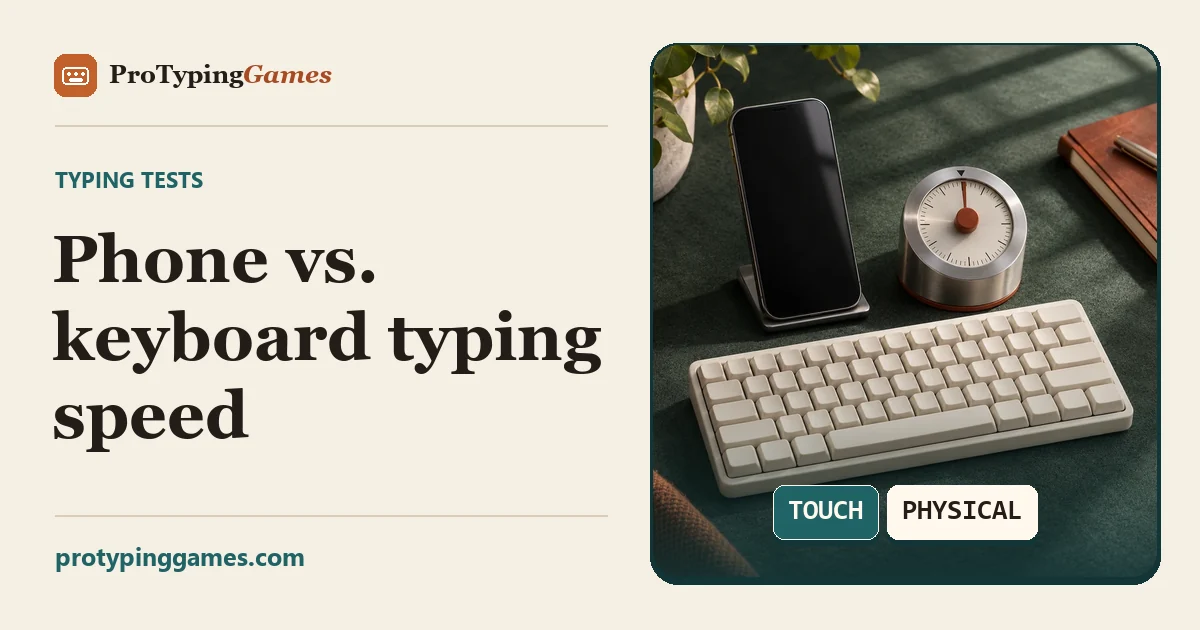
In two large volunteer studies, participants averaged about 36 words per minute on mobile touchscreens and about 52 on physical keyboards. Your own gap depends on the text, the input aids you use, and how often you type on each device.
If you regularly switch between drafting emails at a desk and firing off quick messages from your phone, this difference shapes your everyday digital output. Touchscreens offer unmatched portability and software assistance, but physical keyboards provide tactile feedback and multi-finger movement that glass surfaces simply cannot match. Understanding the mechanics behind this gap can help you choose the right tool for specific writing tasks and evaluate your own typing habits with realistic expectations.
What the research tells us
Large volunteer datasets provide a clear view of how typing speeds differ between mobile devices and desktop hardware. In an analysis of 37,370 mobile volunteers, participants reached an average typing speed of about 36 words per minute on mobile devices. By comparison, an earlier study analyzing keystroke data from physical keyboard users logged an average rate of about 52 words per minute across its pool of participants.
Because these figures come from separate studies with volunteer participant groups rather than controlled, identical populations, they should not be treated as universal targets for every typist. They do, however, illustrate the typical difference between the two environments. The desktop keyboard maintains a substantial performance edge, even as mobile interfaces become more sophisticated.
The mobile study also noted interesting behavioral patterns. Typists who relied on two thumbs achieved higher speeds than those who tapped with a single index finger. Additionally, the data showed that the use of autocorrect was positively correlated with higher text entry speeds on phones. It is crucial to remember that correlation is not causation. Using autocorrect does not automatically turn a slow typist into a fast one. Instead, the correlation might indicate that confident mobile typists lean into software aids to maintain forward momentum rather than stopping to correct minor misstrikes manually.
Touchscreens versus physical switches
To understand why physical keyboards tend to hold the speed crown, look at the physical mechanics of each input style.
When you sit at a full-sized desktop or laptop keyboard, you have access to mechanical or membrane switches that offer distinct travel and physical resistance. Your fingers can rest lightly on the home row keys without actuating them. This tactile awareness lets your motor system register key boundaries, key presses, and returns without looking directly at your hands. Furthermore, physical keyboards let you distribute keystrokes across all ten fingers. While your left index finger handles a letter like R, your right pinky can prepare to hit a punctuation mark or Enter key.
Touchscreens function differently. A flat glass display provides no physical edges or tactile confirmation when a virtual key activates. Your fingers cannot rest on the glass, or they will register accidental inputs. As a result, phone typing requires your fingers to hover constantly above the surface, relying almost entirely on visual monitoring.
Even with two-thumb typing, you are dividing the work across only two digits. These two thumbs must travel greater relative distances across the screen surface to reach alternating letters. When you combine limited finger involvement with zero tactile feedback, raw speed naturally drops.
External keyboards bridge these two worlds. When you pair an external physical keyboard to a smartphone via Bluetooth or a cable adapter, the phone stops relying on the glass display for character entry. In that configuration, the input performance mirrors that of a standard laptop or desktop keyboard, showing that the physical interface, rather than the phone operating system itself, is the primary factor limiting entry speed.
How typing scores are measured
Comparing your speed across devices requires an understanding of how typing software scores your input. Raw speed and accuracy are calculated using specific character counts rather than whole words.
On platforms like ProTypingGames, a standard typing “word” is defined as five character units.
- Raw WPM (Words Per Minute) measures the total volume of retained text entered in a set time. It takes the number of retained typed character units, divides that number by 5, and then divides by the elapsed minutes.
- Net WPM accounts for accuracy. It takes only the correctly matched character units, divides them by 5, and then divides by the elapsed minutes.
- Attempt Accuracy is calculated as your successful attempts divided by all scored attempts, multiplied by 100 and rounded.
Because of this structure, you cannot calculate net WPM simply by multiplying raw WPM by your accuracy percentage. Furthermore, fixing an error does not erase the attempt. If you hit an incorrect key, that incorrect strike is permanently recorded in your accuracy metric, even if you subsequently backspace and correct the mistake.
Understanding these metrics prevents misinterpreting your results. If you want to see how your own performance fits into broader benchmarks, reviewing what constitutes a good typing speed can give you realistic context for both mobile and desktop targets.
Worked calculation example
To see the math in action, consider a reader who completes an English ASCII test run on a physical keyboard, followed by a separate run on a smartphone touchscreen.
Example 1: The physical keyboard run
- Duration: 60 seconds (1.0 minute)
- Scored character attempts: 275
- Successful character attempts: 264
- Uncorrected retained character errors remaining at the end: 2
- Correctly matched retained characters: 262
- Total retained characters (correct + incorrect): 264
First, calculate Attempt Accuracy:
Accuracy = (264 ÷ 275) × 100 ≈ 96%
Next, calculate Raw WPM:
Raw WPM = (264 retained characters ÷ 5) ÷ 1.0 minute = 52.8 WPM
Finally, calculate Net WPM:
Net WPM = (262 correctly matched characters ÷ 5) ÷ 1.0 minute = 52.4 WPM
Notice that if you had simply multiplied Raw WPM (52.8) by Attempt Accuracy (0.96), you would get 50.69 WPM, which does not match the actual Net WPM of 52.4. Net WPM depends strictly on correctly matched retained character units divided by five per minute.
Example 2: The phone touchscreen run
- Duration: 60 seconds (1.0 minute)
- Scored character attempts: 195
- Successful character attempts: 180
- Uncorrected retained character errors remaining at the end: 5
- Correctly matched retained characters: 175
- Total retained characters: 180
Attempt Accuracy:
Accuracy = (180 ÷ 195) × 100 ≈ 92.3% → 92%
Raw WPM:
Raw WPM = (180 retained characters ÷ 5) ÷ 1.0 minute = 36.0 WPM
Net WPM:
Net WPM = (175 correctly matched characters ÷ 5) ÷ 1.0 minute = 35.0 WPM
In this example, the typist achieved 52.4 Net WPM on the physical keyboard and 35.0 Net WPM on the phone, illustrating the performance gap observed in volunteer studies.
Run your own device experiment
Because personal typing speed depends heavily on individual muscle memory and habits, testing your own speed across both devices is more insightful than relying solely on large-scale averages.
To obtain an accurate comparison, you must isolate the input hardware by keeping all other variables constant. If you test simple random words on your phone and a technical, punctuated essay on your computer, your results will reflect text difficulty rather than hardware differences.
Here is a step-by-step experiment you can run to compare your personal phone and physical keyboard speeds.
Step 1: Standardize the testing text
Select an identical test type on both devices. A short timed trial like the ProTypingGames 1-minute typing test works well for measuring raw bursts of speed using standard word streams. If you prefer to evaluate continuous writing with natural sentence structure and capitalization, use the paragraph typing test instead. Whichever format you pick, make sure you use that same test format on both devices.
Step 2: Configure assistance settings
Decide whether you want to measure raw mechanical finger speed or real-world output. Software aids significantly alter mobile results.
If you want to measure pure manual accuracy:
- Turn off autocorrect, predictive text bars, and automatic capitalization in your phone’s operating system settings.
- Type on your physical keyboard without any software assistance tools active.
If you want to measure real-world speed:
- Keep your standard phone typing aids active.
- Note in your logs that the phone test includes algorithmic assistance while the physical keyboard test relies entirely on manual keystrokes.
Step 3: Control for fatigue and order bias
Typing performance fluctuates depending on muscle warmth and mental focus. If you always test your computer first, your phone trial might suffer from fatigue. Conversely, if you test your phone first, your fingers might be better warmed up for the computer test.
To control for this order effect, use an alternating four-round schedule:
- Round 1: Phone touchscreen
- Round 2: Physical keyboard
- Round 3: Physical keyboard
- Round 4: Phone touchscreen
Take a two-minute break between each round to let your wrists and fingers relax.
Step 4: Record and compare metrics
Remember how the platform processes input. On ProTypingGames, timed tests do not start counting down until the first accepted typing input is registered. This feature allows you to settle your hands on the keys or screen before the clock begins. Within the active screen, your backspace key can delete mistakes across spaces, but it cannot move backward to completed pages.
After completing the four runs, record the Raw WPM, Net WPM, and Attempt Accuracy for each session. Average the two phone scores together, and average the two physical keyboard scores together.
Compare your own averages and look at accuracy alongside them. If two devices come out close, try a second pair of runs using matching prose with capitals and punctuation. A string of easy words tells you less about how you’ll handle a real email.
Context matters for everyday productivity
Knowing your comparative speeds can help you organize daily writing tasks more effectively.
Touchscreens excel at short-form communication where convenience and speed of access outweigh entry efficiency. Firing off a brief message, confirming an appointment, or taking a quick note in the field rarely requires high typing speed. For these micro-tasks, the overhead of sitting down at a computer negates any typing speed advantage.
For long-form writing, technical documentation, or intensive correspondence, the physical keyboard remains far superior. The tactile feedback reduces visual strain by allowing you to focus on the text rather than your fingers. At the same time, the higher net words per minute mean you spend significantly less time translating thoughts into finished text.
Open your phone browser and your desktop browser right now, set up your testing conditions, and complete your first alternating round to find your personal speed gap.
Put it into practice
The fastest way to improve is to play. Jump into a free typing game and try it now.
Play free typing games